Bingo Story – Bingo Games
Clipwire Games IncBoard
4.119.88K Reviews
- Version
- 1.75.2
- Installs
- 5.00M
- Age Rating
- Everyone
Screenshots
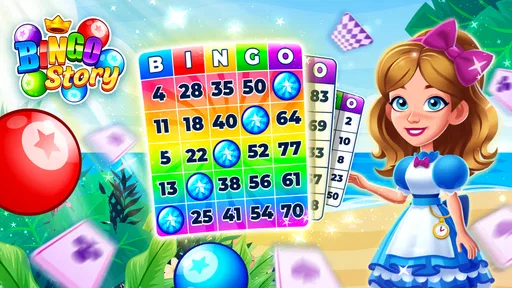
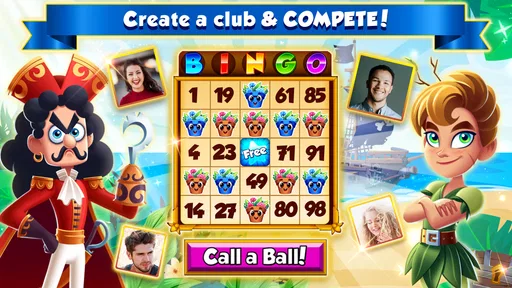

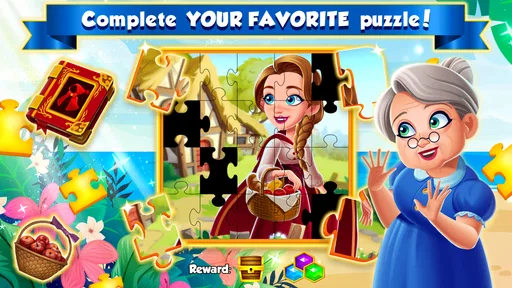

Our Review of Bingo Story – Bingo Games
 Analysis by Appyee
When a phone or tablet gets passed around at home, a game can become a shared pastime almost by accident. I can picture opening Bingo Story – Bingo Games during a quiet stretch after dinner: one person takes a turn, someone else watches the cards, and the bright bingo-room presentation gives everyone something light to follow. That kind of casual, take-turns use is where this board game feels most inviting. I’d still decide whose game account is being used before handing over the device, since shared screen time doesn’t necessarily mean shared progress.
A relaxed fit for short household breaks
The game suits people who enjoy bingo but want more to do than simply wait for numbers. Puzzles, themed rooms, tournaments, and collection goals give a session several possible directions, while the familiar card-marking idea keeps the basic activity easy to understand. It can work for a short break when people are nearby but don’t want a game that demands a long explanation or a tightly coordinated group.
For example, I’d use it while waiting for a meal to finish: one person can manage the phone and play, while another follows along and calls out a number they notice. That is a practical way to make a single-device session feel social without assuming that everyone needs an account or can play simultaneously. If the household wants a true shared-screen party game with everyone actively participating at once, this is not the same kind of experience.
Keep the device handoff simple
Before letting another person take a turn, I’d make a small routine of checking that the game is ready and explaining what the current goal is. That matters more here than it might in a game with one obvious round: bingo rooms, puzzles, collections, and tournaments can all make the next step less apparent to a first-time player. A quick handoff keeps someone from tapping around without knowing whether they are starting a new activity or continuing the current one.
I would also treat the device owner’s progress and purchases as personal, rather than assuming a family can safely share everything. The game is free to start, but it includes optional purchases, so I’d keep purchase decisions with the account holder and discuss them before anyone else plays. The available item prices span from $0.99 to $199.99, which makes a clear household rule more useful than relying on casual assumptions about what a tap might do.
Coordination without turning play into a chore
Its social options can give regular players a reason to coordinate: friends can connect, teams offer a group angle, and tournaments add competition. I’d use those features when everyone already enjoys the game, not as a requirement for a pleasant solo session. If one person in the household plays often and another only joins occasionally, a team or tournament may not suit both schedules equally well.
A helpful approach is to decide whether a session is a quick individual round or a shared activity before starting. If someone is aiming for a tournament or a collection goal, interruptions and frequent device swaps may be frustrating; if the aim is simply to pass a few minutes, there is less pressure to keep everyone in sync. That distinction can make the social side feel welcoming instead of making casual players feel they are holding the group back.
Age context and everyday trust
The game is rated for Everyone, and bingo’s basic rules are approachable across age groups. That rating doesn’t make every household decision automatic, though. I’d still consider whether the player is comfortable with in-app purchase prompts and with online social features before handing over a device. For younger players, an adult can stay nearby and handle spending choices; for older relatives, a brief introduction to the room and card options may be all that is needed.
I also wouldn’t assume that a friendly presentation makes every part equally suitable for every person. Someone who prefers quiet, simple play may find animations, sound, multiple cards, and event choices busier than a plain bingo app. Muting or lowering the device’s sound, if that suits the setting, is a sensible way to make a shared room more comfortable; the core appeal is the bingo activity, not needing the phone to fill the whole room with noise.
First Impressions
From the moment you launch the app, you’re greeted with a bright and colorful interface, reminiscent of a lively bingo hall. The design is intuitive, making it easy for both seasoned players and bingo newbies to jump right in. The app does a fantastic job of capturing the essence of bingo, with plenty of fun animations and sound effects to keep you engaged. The best part? You don’t need to be a tech wizard to navigate it.
Gameplay and Features
Now, let’s talk about the gameplay. Bingo Story – Bingo Games offers a variety of bingo rooms, each with its own theme and unique challenges. Whether you’re in the mood for a classic bingo round or something a bit more adventurous, there’s a room for you. The game does an excellent job of keeping things fresh by regularly introducing new events and themes.
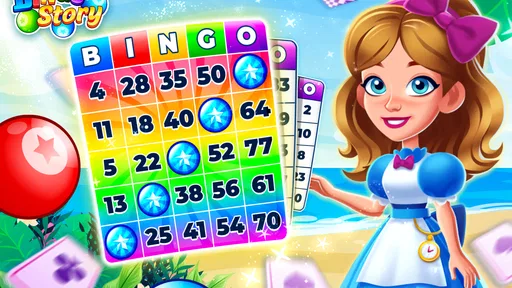
One of the standout features is the ability to play multiple cards at once. This feature cranks up the excitement and keeps you on your toes. Trust me, juggling multiple cards is as thrilling as it sounds! Plus, the app offers a handy auto-daub option, so you can focus on the strategy without worrying about missing a number.
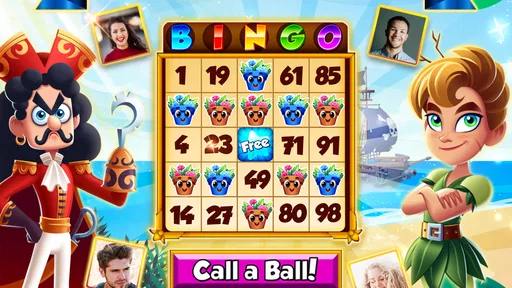
Another cool aspect of the app is the social element. You can connect with friends, join teams, and even compete in tournaments. It’s a fantastic way to share the bingo love and maybe even make some new friends along the way.
Choosing a pace that works
Multiple cards are exciting, but I wouldn’t treat them as the default choice for every session. They add more to track, so they suit a player who wants a busier round better than someone trying to relax while glancing at the screen. Auto-daub can reduce the pressure of manually marking every called number, but it doesn’t remove the decisions around which room or activity to choose. Starting with fewer cards is a sensible way to learn the rhythm before adding more to follow.
The range of activities also makes this a different proposition from a bare-bones digital bingo caller. A simple bingo app is often the better pick if you want an uncluttered card and nothing else to manage. Here, rooms, puzzles, tournaments, and collecting give the session more variety, but they also mean there are more goals competing for attention. I’d choose it when I want bingo wrapped in a broader game loop, and a simpler alternative when I want only the traditional round.
In-App Purchases and Rewards
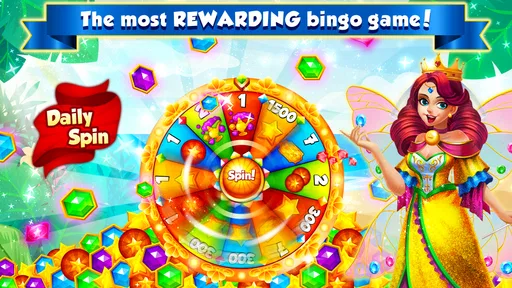
Like many free-to-play games, Bingo Story – Bingo Games offers in-app purchases. You can buy coins and power-ups to give you an edge during the gameplay. However, the app is generous with its daily bonuses and rewards, so you can still enjoy the game without spending a dime. It’s nice to see that the developers have struck a good balance between monetization and player enjoyment.
The rewards system is another highlight. You’ll find yourself collecting a variety of items as you play, which can be used to complete collections and earn bonuses. It adds an extra layer of depth and satisfaction to the game. I found it surprisingly addictive trying to complete each collection!
Free play, goals, and spending choices
For a new player, my practical advice is to explore the free experience before deciding that a purchase is necessary. The game has daily bonuses and collection rewards to engage with, so I’d first see whether those systems provide enough momentum for the way you like to play. If a particular activity starts to feel like it is pushing you toward spending, take that as a cue to pause rather than treating every bonus or power-up as essential.
That trade-off is especially worth considering in a shared household. A person who plays occasionally may be perfectly content with free rounds and gradual collection progress, while a regular player may be more tempted by optional extras. Either way, the free entry point makes it easy to try the style before committing money, but the existence of purchases means it is not a completely consequence-free toy for a child to explore without supervision.
Graphics and Sound
The graphics in Bingo Story – Bingo Games are vibrant and fun. The developers have done an excellent job of creating a visually appealing environment that enhances the gameplay without being too distracting. Each bingo room is uniquely designed, adding to the overall charm of the game.
Sound-wise, the app hits the right notes. The background music is pleasant and not overly repetitive, and the sound effects add to the excitement of marking off numbers and hitting bingo. It’s these little details that make the game all the more enjoyable.
What to expect from a longer session
The presentation helps the rooms feel distinct, but anyone who prefers a plain interface may find the color and animation a little much over time. I’d think of the visual style as part of the entertainment rather than as a practical advantage: it makes the game feel more like a themed mobile pastime than a paper bingo card. If you are playing in a quiet space, the sound can add atmosphere; if you are sharing a room, keeping the volume considerate matters more than hearing every effect.
The changing events and themes are useful when the standard round starts to feel familiar, but they can also pull attention away from a simple, unhurried game. I’d pick one goal for a session—perhaps a room, a puzzle, or progress toward a collection—instead of trying to chase every visible activity at once. That makes the game easier to enjoy in short visits and helps a new player understand what they are actually working toward.
Who will enjoy it—and who may prefer something else
I’d recommend it to bingo fans who like having side goals, a lively presentation, and the option to play with friends or join a team. It is also a reasonable fit for someone who wants a casual game that can fill a brief pause without requiring a complicated strategy lesson. The combination of themed rooms and collections gives returning players a reason to explore beyond a single familiar card.
I’d steer away from it if you want a completely minimal bingo experience, dislike optional purchases in free-to-play games, or need a game where several people can reliably play together on one device. It is also not ideal for a player who finds multiple choices or animated feedback distracting. In those cases, a straightforward bingo app or a non-digital tabletop game may better match the mood, even if it offers less variety than this one.
Developer, availability, and version
Clipwire Games Inc developed the game, which is free to download and sits in the board-game category. It has an average rating of 4.1 from around 100,000 ratings, with roughly 20,000 written reviews and more than 5 million installs. Those figures suggest a sizeable audience, but I’d use them as context rather than as a promise that every household will enjoy the same parts of the game.
It was released on December 20, 2016, and its current version is 1.72.0. The minimum operating-system requirement is 7.0. Those details are useful when checking whether an older device can run it, while the Everyone age rating gives a quick starting point for household consideration. I’d still check the device and account settings before inviting a younger player to explore on their own.
Final Thoughts
All things considered, Bingo Story – Bingo Games delivers an engaging and enjoyable bingo experience that can be enjoyed by players of all ages. Whether you’re a bingo enthusiast or just looking for a fun way to pass the time, this app is worth a try. Its combination of engaging gameplay, social features, and rewarding systems makes it a standout in the crowded world of mobile games.
So, why not give it a shot? You might just find yourself shouting “Bingo!” more often than you’d expect. Download it now and let the games begin!
My household verdict
For shared use, I see it as a game one person can operate while others join the moment, rather than a guaranteed group activity built around one screen. Agree on who is playing, keep purchase choices with the account holder, and pick a single goal when you want a quick visit. That small bit of coordination helps avoid the common friction of a shared device: someone else’s progress being interrupted or a casual player wandering into a more involved activity.
Overall, I’d give it a place on a household device if the people using it enjoy bingo’s pace and are happy with a colorful game that adds social and collection layers. If your priority is quiet simplicity, offline-style paper play, or equal participation from everyone in the room, choose something more focused on that need. For a flexible bingo diversion with optional depth, though, it’s an easy one to try—and easy to put aside when the household wants a different kind of game.
Verdict
Strengths of Bingo Story – Bingo Games
- Engaging bingo challenges with regular updates.
- Colorful graphics enhance the gaming experience.
- Multiple game modes keep it interesting.
- Active community for social interaction.
- Frequent events offer special rewards.
Limitations of Bingo Story – Bingo Games
- In-app purchases can be quite costly.
- Advertisements can interrupt gameplay.
- Requires constant internet connection.
- Limited free daily bonuses available.
- Game can lag on older devices.
Other Releases by Clipwire Games Inc
View All
MONOPOLY: Bingo!
Board4.7
Similar Picks in This Category
View All
Ludo King®
Gametion4.1

Ludo
Yarsa Games4.6

Tile Master® - Matching Game
Higgs Studio3.6

Checkers Online
CC Games4.6

Dominoes
Loop Games4.7

Chess
Chess Prince4.6
Frequently Asked Questions
What is Bingo Story – Bingo Games?
Bingo Story – Bingo Games is a fun and engaging app that brings the classic game of bingo to your mobile device. It offers a variety of themed bingo rooms, each with unique challenges and rewards. Players can enjoy real-time multiplayer games, complete daily quests, and participate in exciting events.
Is Bingo Story free to play?
Yes, Bingo Story – Bingo Games is free to download and play. However, it does offer in-app purchases for various items, such as extra bingo cards and power-ups, which can enhance the gaming experience. Players can enjoy the game without spending money, but purchases can offer a competitive edge.
What features does Bingo Story offer?
Bingo Story provides a wide array of features, including themed bingo rooms, daily quests, and special events. The game also offers multiplayer modes, allowing players to compete with friends or other users worldwide. Additional features include collectible items, power-ups, and engaging storylines that keep the gameplay fresh and exciting.
Can I play Bingo Story offline?
No, Bingo Story – Bingo Games requires an active internet connection to play. This is necessary for real-time multiplayer functionality, accessing daily quests, and participating in events. An internet connection also allows for consistent updates and ensures that you can compete with other players globally.
Is Bingo Story suitable for all ages?
Bingo Story – Bingo Games is designed for players aged 12 and above due to its interactive multiplayer features and in-app purchases. The game offers a family-friendly experience with its colorful graphics and engaging gameplay. Parents should monitor in-app purchases to ensure a safe and controlled gaming environment for younger players.
Play our best games!


